
Empowering IT teams: Site24x7's mobile app updates in 2025
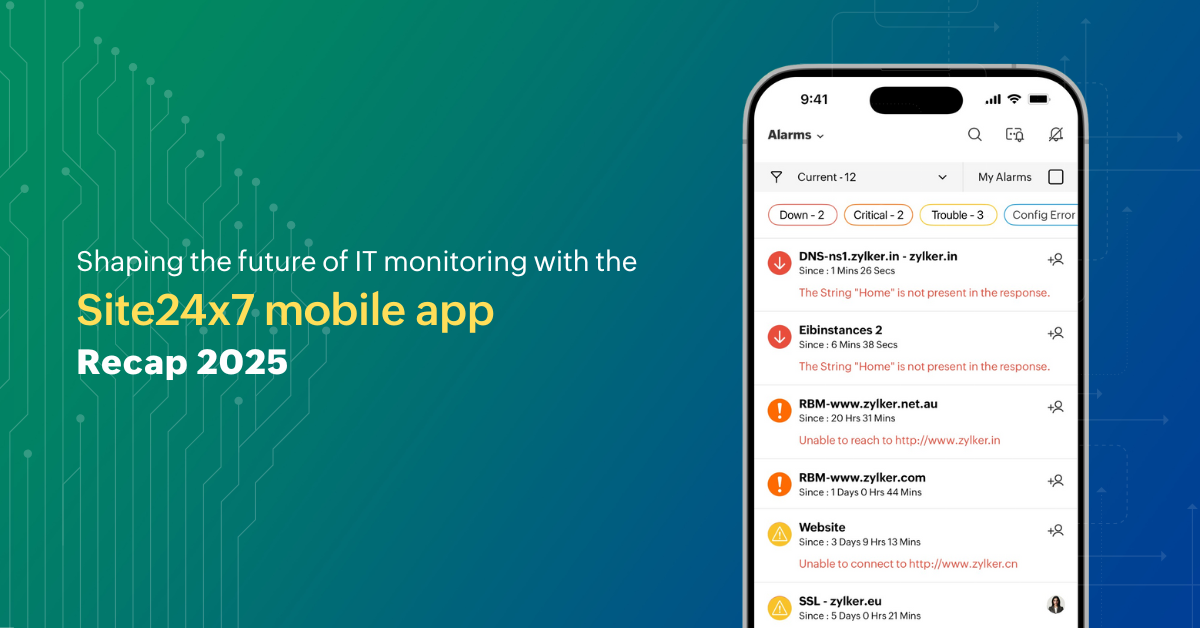
Present IT structure requires flexibility, speed, and accessibility. This year marked a significant milestone for Site24x7 as we launched our enhanced mobile application, transforming how IT teams manage their infrastructure while on the go. Whether you're responding to critical alerts during your commute or reviewing performance metrics between meetings, Site24x7's mobile app puts its entire suite of monitoring capabilities directly in your hands.
Universal access: Monitor anywhere, from any device
Our app delivers a comprehensive monitoring experience across both Android and iOS platforms. Your team can access the full spectrum of Site24x7's powerful monitoring features regardless of device preference. This ensures seamless infrastructure visibility and management, whether you're on an iPhone, iPad, or Android device.
Key features that redefine monitoring on mobile
From real-time updates to hands-free control, these features are crafted to keep IT teams informed and productive—wherever they are.
- Stay informed at a glance: Real-time widgets keep critical monitor statuses visible on your lock screen and home screen, eliminating the need to open the app for quick updates.
- Access critical info instantly: Quick access shortcuts let you long-press the app icon to reach alarms in seconds, saving time and effort.
- Hands-free monitoring and full oversight: Voice control with Siri and a unified NOC view give iOS users complete infrastructure visibility without lifting a finger.
- Ensure accurate timestamps globally: Global time zone control aligns monitoring with your local schedule, keeping timestamps consistent across regions.
- Stay productive across accounts: Manage multiple customer environments effortlessly with quick account switching and no repeated logins.
- Monitor in comfort: Personalized theme support reduces eye strain and enhances the user experience with dark, light, or device-synced themes.
A year of continuous innovation
Customizable navigation for your workflow
We recognize that every IT professional has unique priorities. With our enhanced navigation system, you can reorder the bottom navigation tabs according to your preferences. This customization ensures the app aligns with your operational workflow by reducing clicks.
iOS 26: Where design meets intelligence
Site24x7 for iOS now leverages Apple's sophisticated Liquid Glass design language combined with on-device Apple Intelligence. Experience faster insights through AI-powered summaries, clearer navigation pathways, one-tap comments and notification digests, and a floating maintenance bar that keeps ongoing activities visible without disrupting your workflow.
Enterprise-grade IT automation
Another advancement this year is the integration of full IT automation capabilities within the mobile app. Execute critical remediation tasks protected by multi-factor authentication and biometric security layers. Real-time notifications ensure you can manage automated system actions and approve workflows instantly, even when you're away from your desk.
For the road ahead
The Site24x7 mobile app represents our commitment to meeting IT teams where they are literally and figuratively. As infrastructure grows and remote work becomes routine, mobile-first monitoring isn't just convenient; it's essential. These enhancements have changed the mobile experience into a central hub for IT operations.
Stay informed about the latest mobile app enhancements by visiting our What's New page for regular updates and feature announcements.
Download or update the Site24x7 mobile app from the App Store or Play Store, and discover how mobile monitoring can elevate your team's responsiveness, efficiency, and peace of mind as we head into 2026 and beyond.
Comments (0)